


Access your learning environment quickly and securely by signing in with your assigned credentials or linked single sign-on accounts.
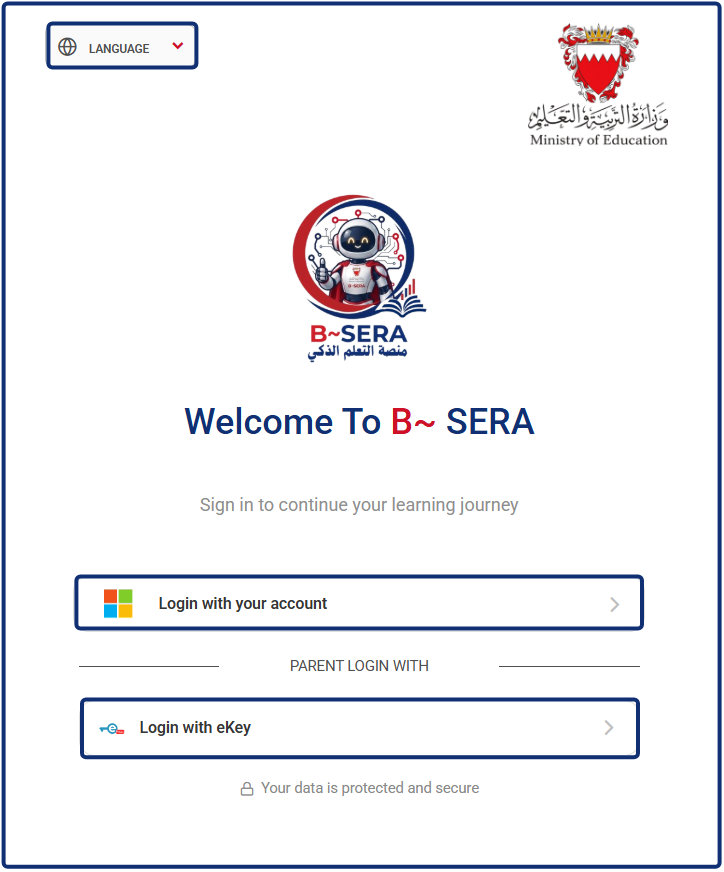
1. Open the Login Page
Search for the platform via Google or navigate to your school’s LMS URL. Save the page to your favorites or bookmarks for easy future access.
2. Select Interface Language
Choose your preferred display language from the language selector.
3. Student and Staff Login
- Click Login with your account (Microsoft icon).
- Enter your institutional email address and password when prompted by the Microsoft authentication window.
- Complete any multi-factor authentication steps if enabled by your organization to access your dashboard.
4. Parent Login
- Under the Parent Login With section, click Login with eKey.
- Complete verification via the national eKey authentication portal to proceed.


